
Users uninstall apps that are hard to use. We design beautiful, thumb-friendly interfaces that make your app feel effortless, keeping users engaged and happy.
77% of users drop an app within 3 days if the design is bad.
Small buttons frustrate users. We design "thumb-zones" so every button is easy to reach with one hand.
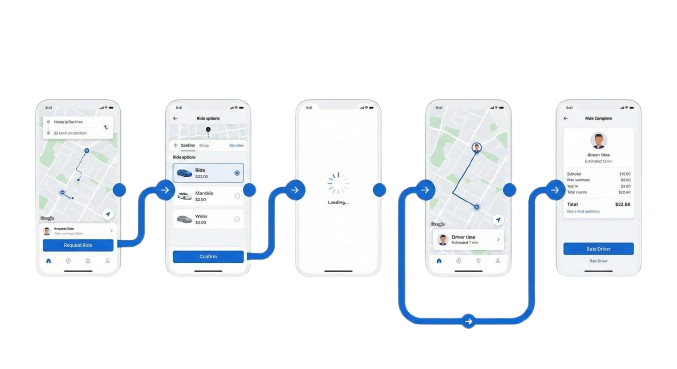
If users get lost, they delete the app. We build clear, intuitive flows using standard tab bars.
Flat, lifeless apps don't build trust. We add animations and polished graphics to make your brand pop.
We follow Apple's Human Interface Guidelines and Google's Material Design principles.
Swipes, pinches, and long-presses make the app feel modern and fast.
Stunning dark themes that save battery life and reduce eye strain at night.
Subtle animations (like a heart filling up when liked) that delight users.
Designing the first 60 seconds of the app to teach users how to use it instantly.
Ensuring text sizes, colors, and voice-over support work for all users.
Test the app on your phone before we write a single line of code.
Figma
Sketch
Rive
Lottie
Zeplin
Sketching the skeleton of the app to decide layout and flow.
Adding color, branding, photos, and icons to create the final look.
Connecting screens so you can "tap" through the app on your phone.
Delivering assets and CSS/Swift code snippets to developers.
Yes! Coding without a design is like building a house without a blueprint. It causes expensive rework later.
Yes. We follow "Material Design 3" for Android and "Human Interface Guidelines" for iOS to ensure it feels native on both.
You get a Figma file, a clickable prototype link, and a folder of assets (icons, images) ready for developers.
Invest in UX design that keeps users coming back.